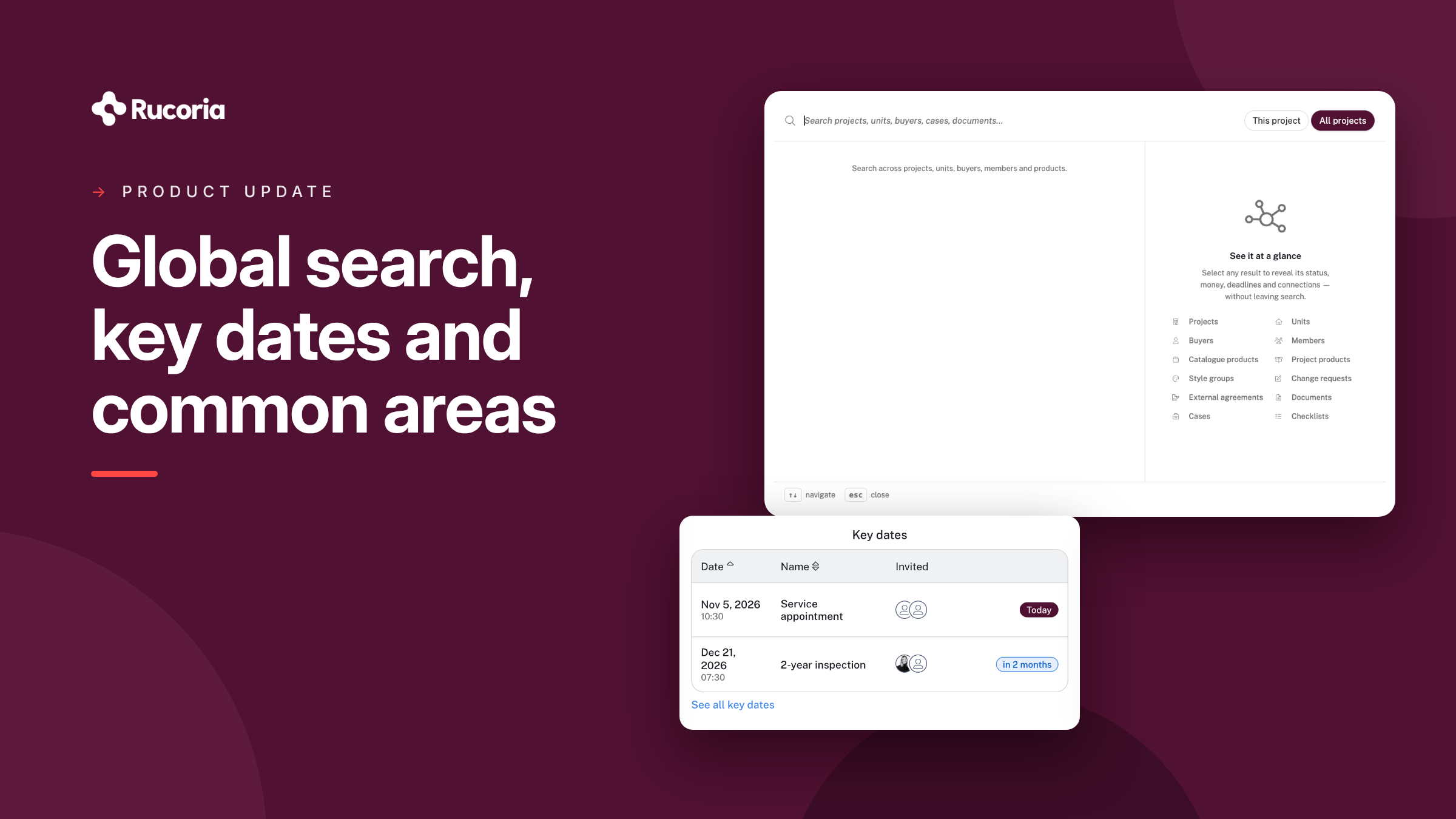
Global search: find everything in one place
Looking for a homebuyer, a unit or that one document from last spring? You no longer need to know which project or module it lives in.
The new global search covers projects, units, homebuyers, project members, cases, inspections, documents, change requests, external agreements, products and styles. It works the same way in Change Management, Inspection and handover, and Warranty handling. Every hit opens a preview, so you can check you have the right one before you click through.

Key dates, straight into your calendar
Inspections, handovers, the end of the warranty period: every project has dates nobody can afford to miss. Now they live in Rucoria.
- Add key dates under Project settings: a name, a date, an optional time and the project members who should attend.
- Calendar invites go out automatically, in each recipient's own language. If the date moves, the invite is updated. If it is cancelled, so is the calendar entry.
- The next five dates are shown on the project dashboard.
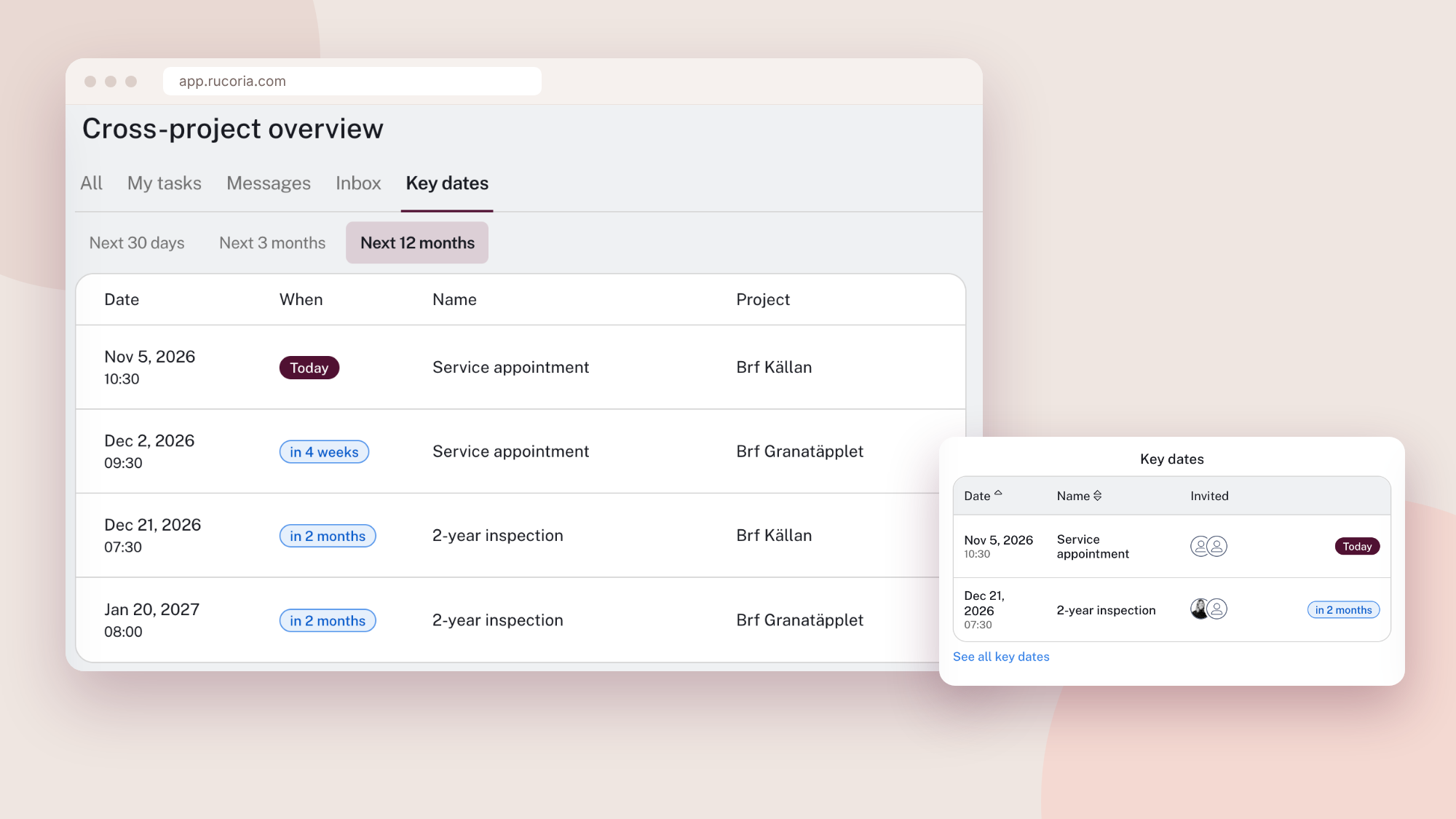
- See every project at once. "All cases" is now called "Cross-project overview" and has a new Key dates tab with upcoming dates across all your projects, for the next 30 days, 3 months or 12 months.
Warranty handling for common areas
A leak in the garage or a broken door in the stairwell doesn't belong to one unit, but someone still has to report it. Common areas can now be set up in Warranty handling with their own floor plans and rooms.
- You decide who can report. Choose which units can report cases in each common area.
- Homebuyers choose where the problem is: their own unit or a common area they are linked to. They mark it on the common area's floor plan, just like at home.
- Fewer duplicate cases. Homebuyers can see that a problem has already been reported, with status and location on the floor plan. They never see who reported it, and they don't see the chat or photos.
- The right people get notified. Emails and messages go to the homebuyers who reported the case, not to everyone linked to the area.
Homebuyers who aren't linked to a common area won't notice any change.

Also new
Change Management
- Rooms on change requests. Offer lines on change requests and external agreements can be linked to rooms, and you can filter change requests by room.
- See which units an option group reaches. Hover over a room on the option group list to see which units have that room.
- Duplicate meeting types, letter included, instead of building them from scratch.
Inspection and handover
- Power of attorney, as many files as you need. Proxy documentation at handover now accepts several files and PDFs, not just a single photo. This also works in the app.
- Case categories in the app. The inspection app supports case categories, so cases are sorted correctly from the first inspection.
Warranty handling
- Your own case category hierarchy. Set up and manage your own case category structure. The cross-project overview can be filtered by category.
- Cases in sub-projects. Sub-projects can create their own internal cases. They stay hidden from homebuyers and the main project, and you can make fields mandatory.
- Document versions. Upload a new version of a document without losing the old one.
- Housing associations publish their own documents. Board members can publish the documents they upload themselves.
- Easier bulk work. "Select all" in the document overview covers every document in the filter, not just the first 50. The case PDF export is now sorted by unit, with the oldest case first.
Thank you for the feedback
Much of what you see here started as a question or a request from one of you. Keep them coming. If you have questions about common areas, key dates or any of the other changes, reach out to your Rucoria contact person.