
We’re proud of the pace our product team keeps. Just as much of the progress comes from working closely with the people who use Rucoria every day. Many of the improvements below came straight from real estate developers and general contractors, often from moments where something took one click too many or needed a manual step it shouldn’t have.
Here’s what’s new:
Find the right project, fast
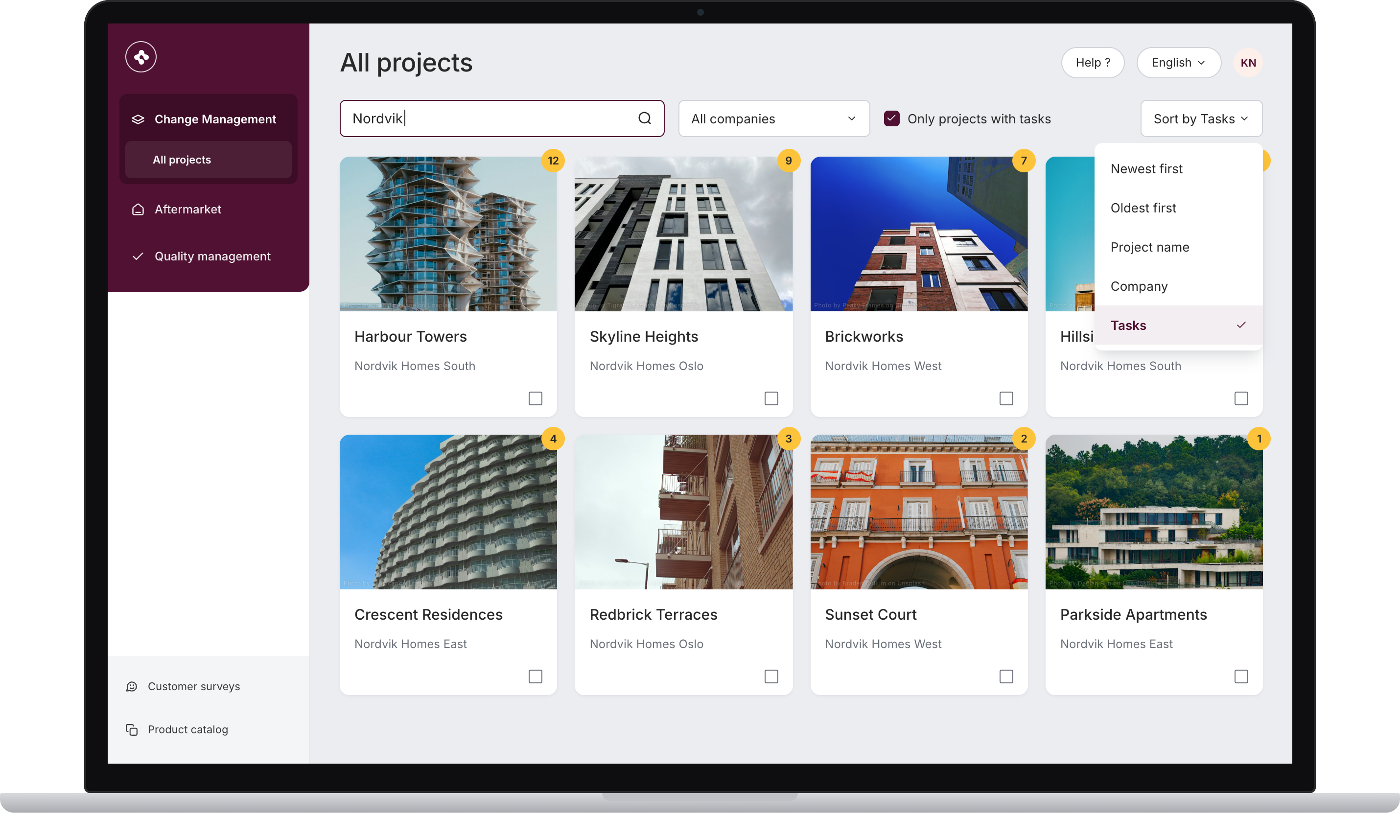
As more of our customers run many projects in Rucoria at the same time, finding the right one should be instant. The projects page now has:
- Search: type a project name and go.
- Sorting: by newest, project name, company or number of open tasks.
- Filters: by company or seller profile, or show only projects with open tasks.
This works the same way across all modules. For companies with several regions or subsidiaries, it makes moving between projects much easier. It is also one of the most requested features we’ve had.
Change Management: fewer clicks, better flow
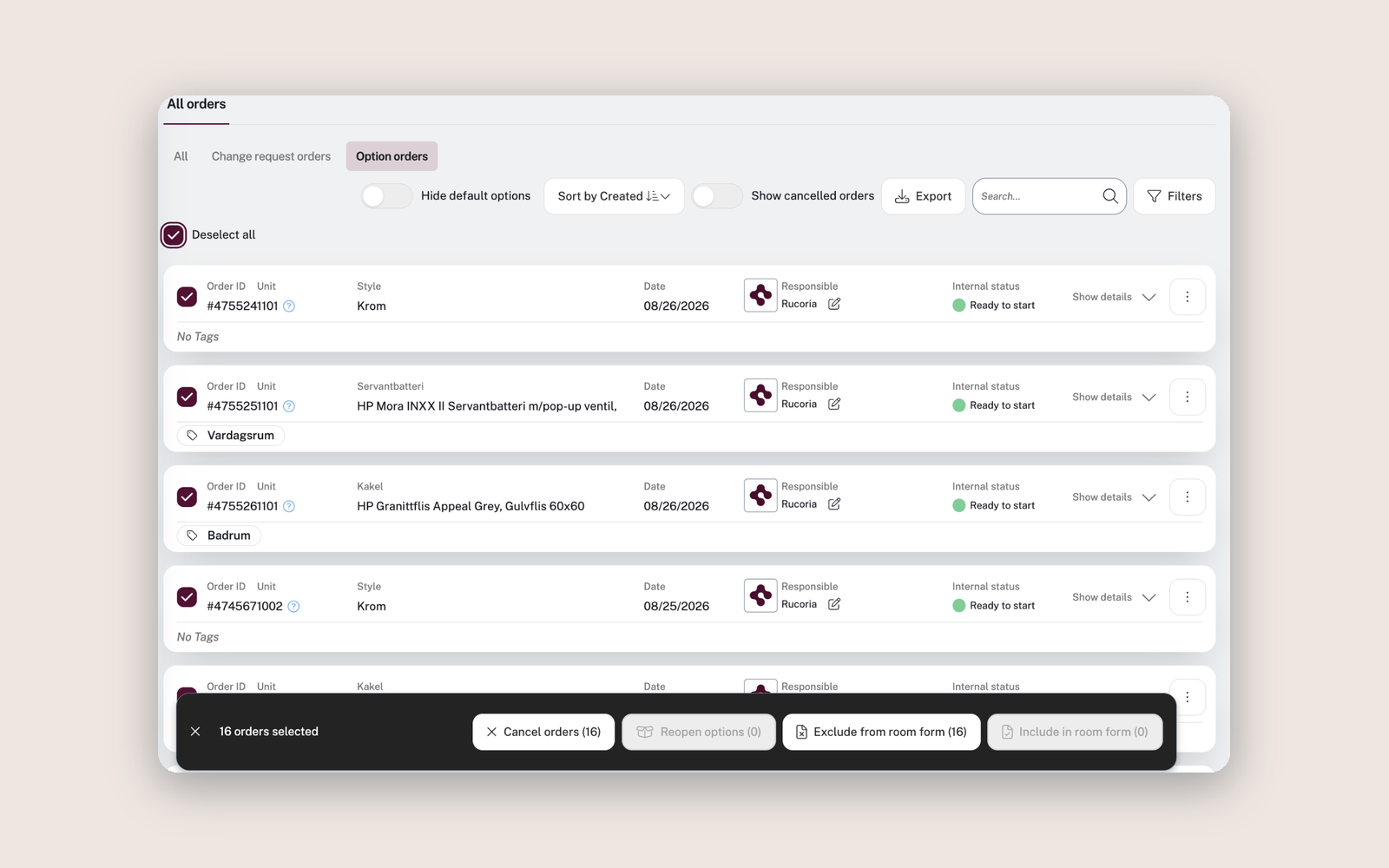
Handle multiple orders at once. You can now select several orders and cancel, reopen, exclude or include them in one go. Reopening every order on a unit now takes a few clicks.
Start over when the homebuyer changes. When a new homebuyer takes over a unit, sellers can clear its option choices and start fresh. Unsigned choices are reset and signed ones are kept. Every reset is logged in the unit history.
Warranty handling: full control over who sees and does what
Separate view and write permissions. You can now set who can view and who can write in the homebuyer conversation and in the internal thread, each one separately. This helps when subcontractors and other external parties are involved in a case.
“Can create cases” is now its own permission. You decide who can open new warranty cases.
Set permissions when you invite. When you invite a new user, you set their permissions in the same step, so there’s nothing to adjust afterwards.
.png)
From Change Management to O&M documentation, automatically
O&M documentation transferred from Change Management is now automatically linked to the rooms the homebuyers chose. That means less manual work before inspection and handover, and the homebuyer gets the right documentation in the right place.
Also improved
- Improved homebuyer import with clear feedback on exactly which cells need attention, so you can correct them right away.
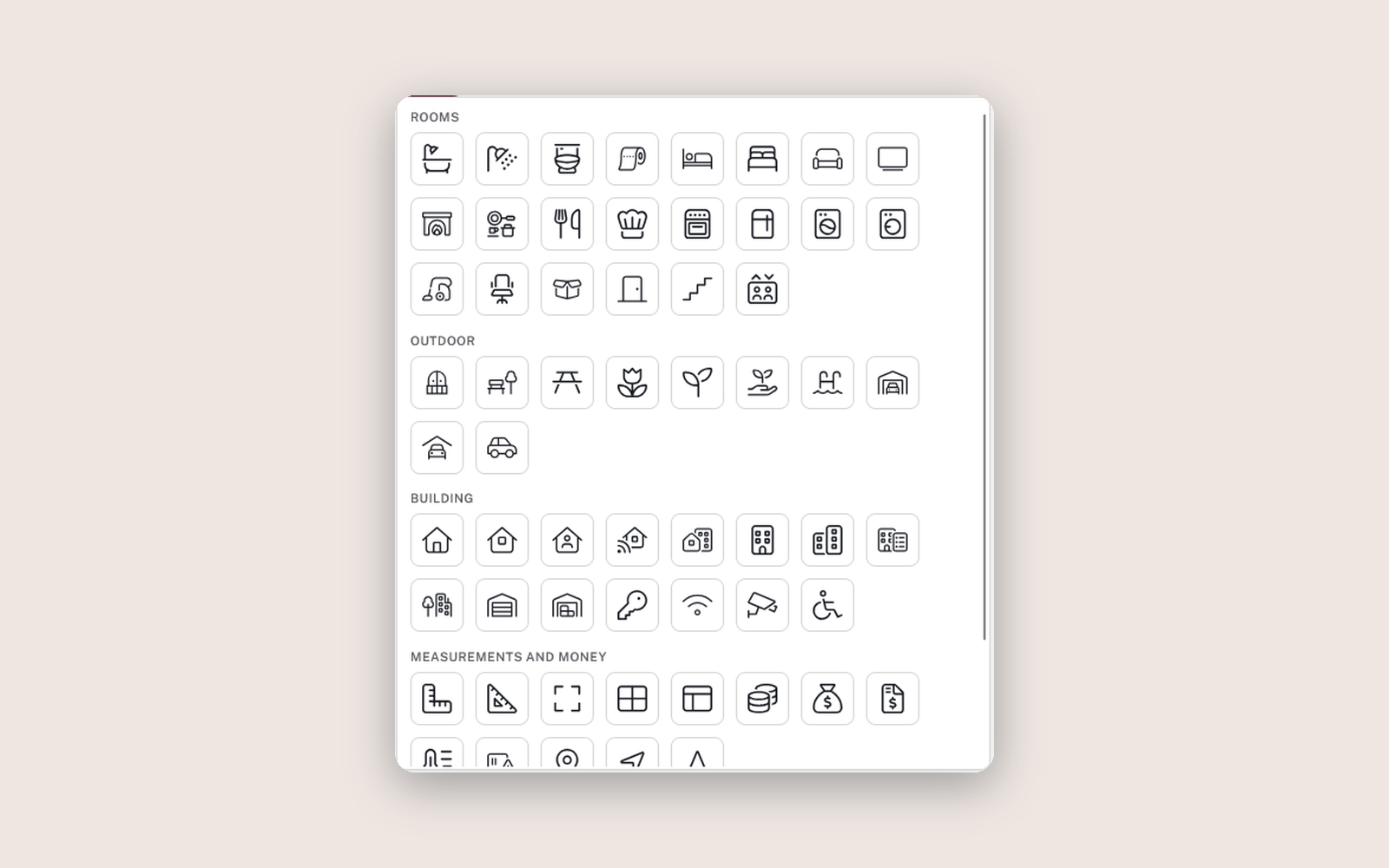
- More room icons, grouped by type: bathroom, kitchen, outdoor and more.
- More flexible option groups: Add or remove styles while a group is published.
- Smarter notifications: Homebuyers only get signing reminders while there is still something to sign.
- Plus a range of smaller improvements that make everyday work in Rucoria smoother.
Thank you for the feedback 🗣️
Many of these improvements exist because one of you got in touch and said “this could be easier”. Please keep doing that. If you have questions about the new permissions or anything else in this release, contact your Rucoria contact person.